
Description
Appointments kept in two places drift apart: a booking lands on the website, a call comes in by phone, a job moves in Google Calendar, and nobody is sure which time is right. LTT Booked keeps the booking form on your WordPress site and the Google Calendar of every staff member in sync, both ways.
How customers book
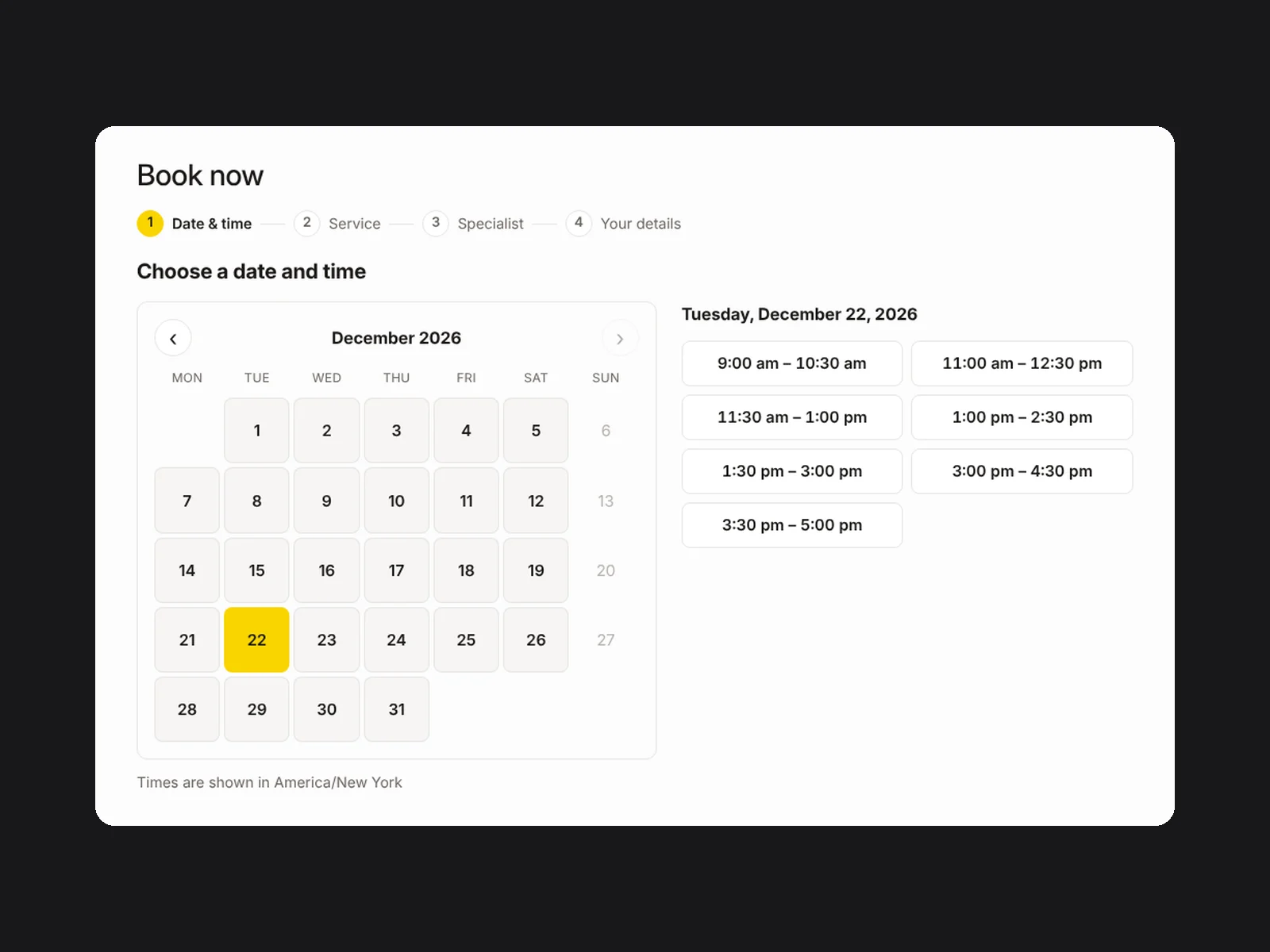
- Date and time first. Only free times are shown: working hours minus anything busy in the staff member’s Google Calendar.
- One or several services. Only services that fit the chosen time are listed. A customer can tick several jobs for one visit; prices and deposits add up.
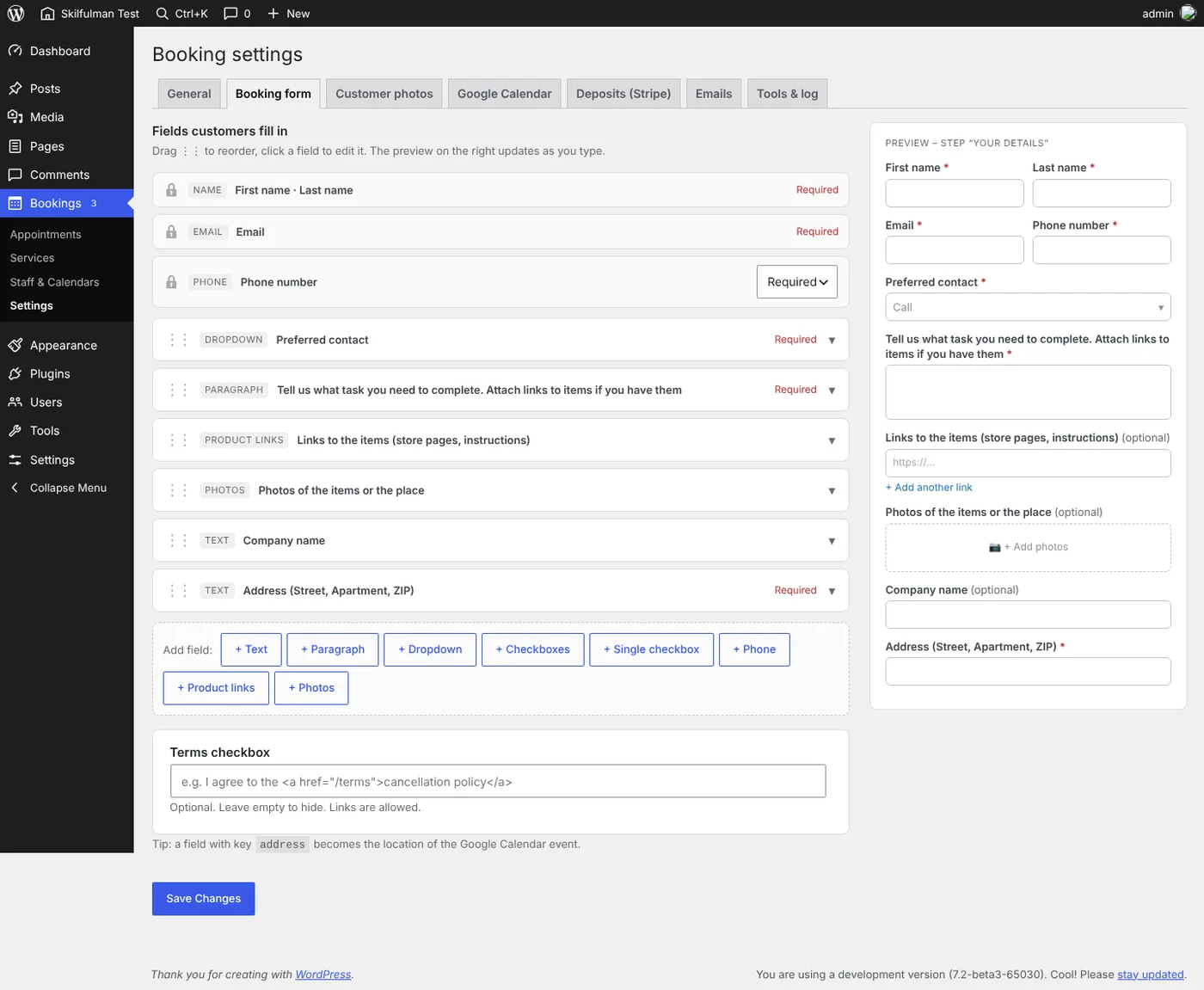
- Details. Your own form fields, plus links to the items and up to 10 photos of the items or the place, so you arrive with the right tools.
- Deposit, if you want one. Stripe Checkout takes a percentage, a fixed amount or the full price. Unpaid holds are released automatically.
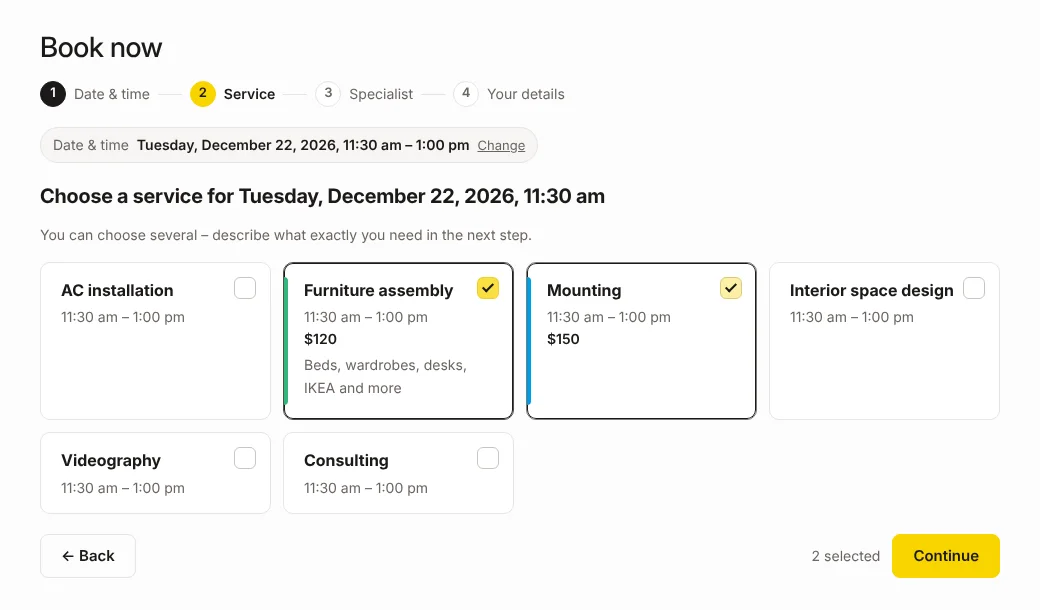
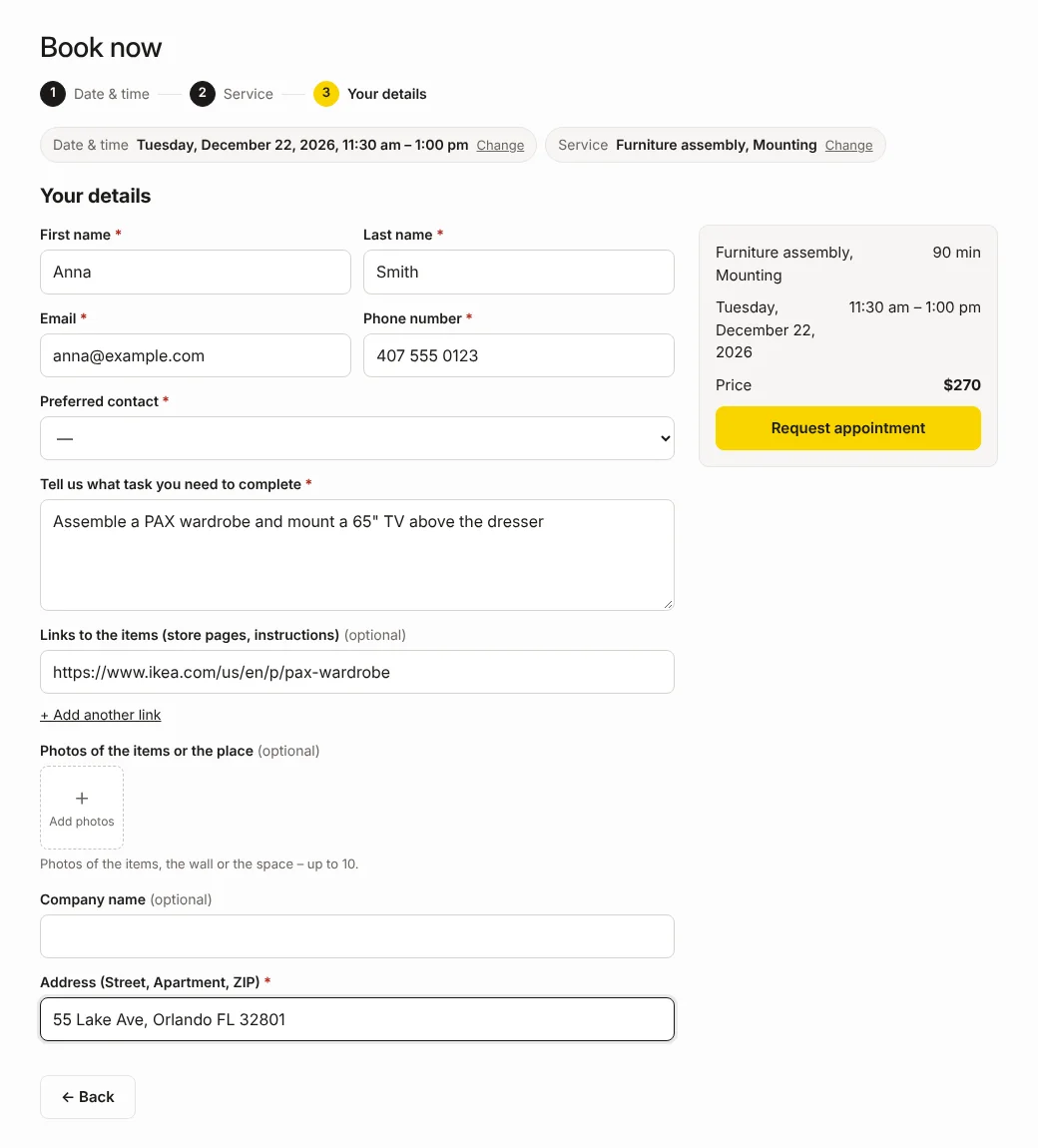
Prefer service first? Switch the order in Bookings → Settings → General.
How you manage appointments
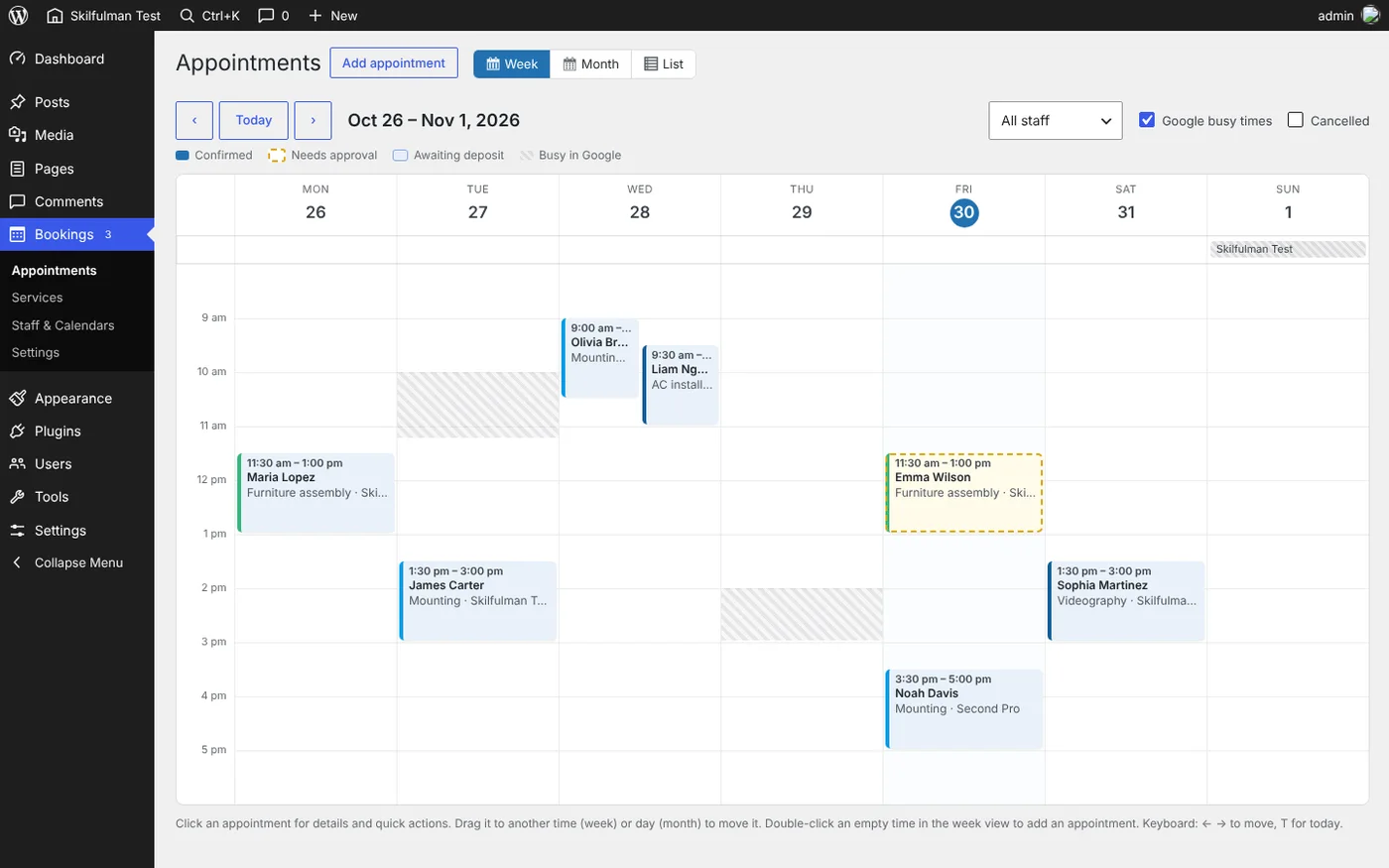
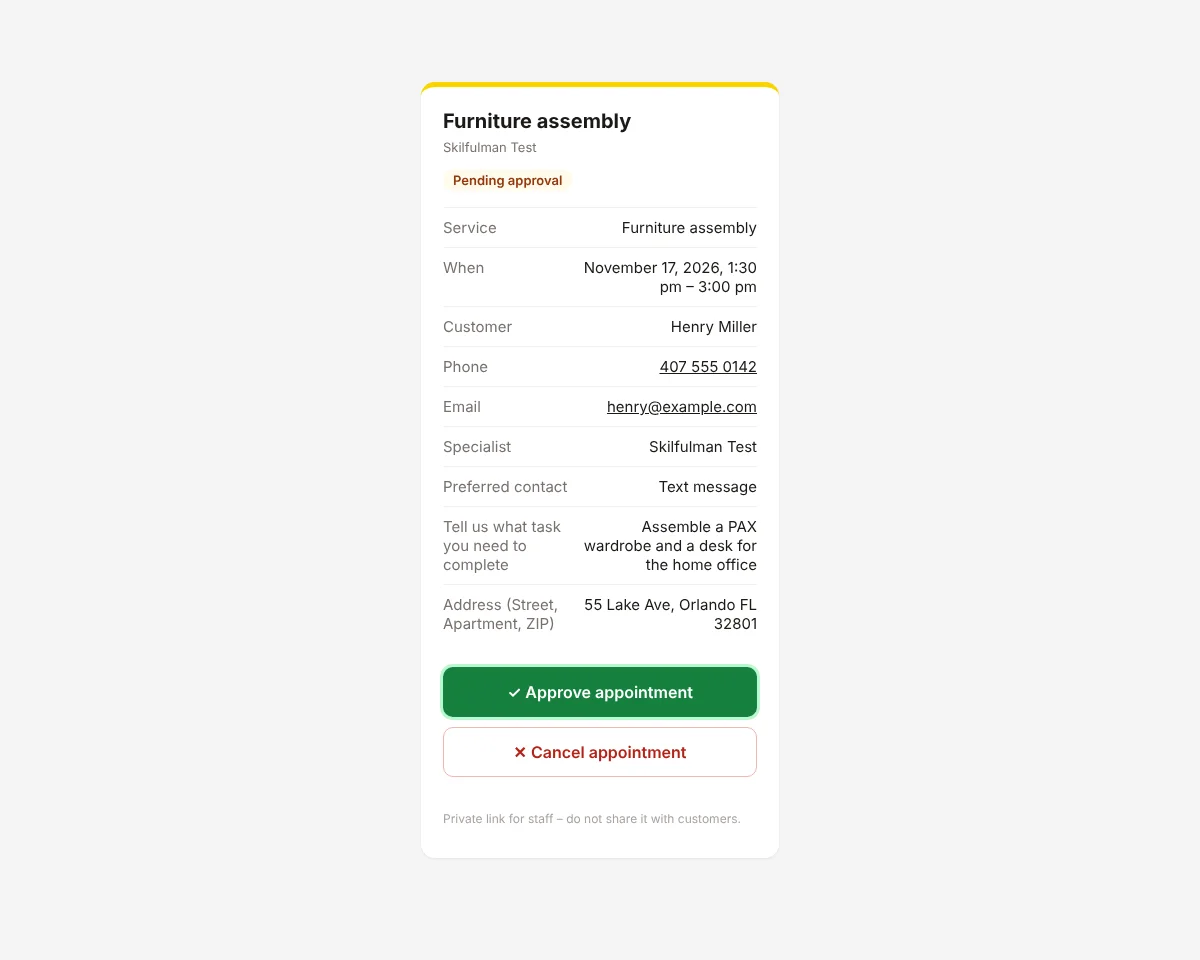
- Google Calendar is a control panel. New requests appear as “[Pending] Service – Customer”. Delete “[Pending]” to approve, drag the event to reschedule, delete it to cancel. The customer gets the right email every time.
- No WordPress login needed. Approve or cancel from the buttons in the admin email or from a private, phone-friendly page linked in the calendar event.
- Calendar in the admin. Week, month and list views; drag an appointment to move it, with a check for conflicts.
- Your busy time stays busy. Any other event in Google Calendar blocks that time on the site; an all-day event closes the day.
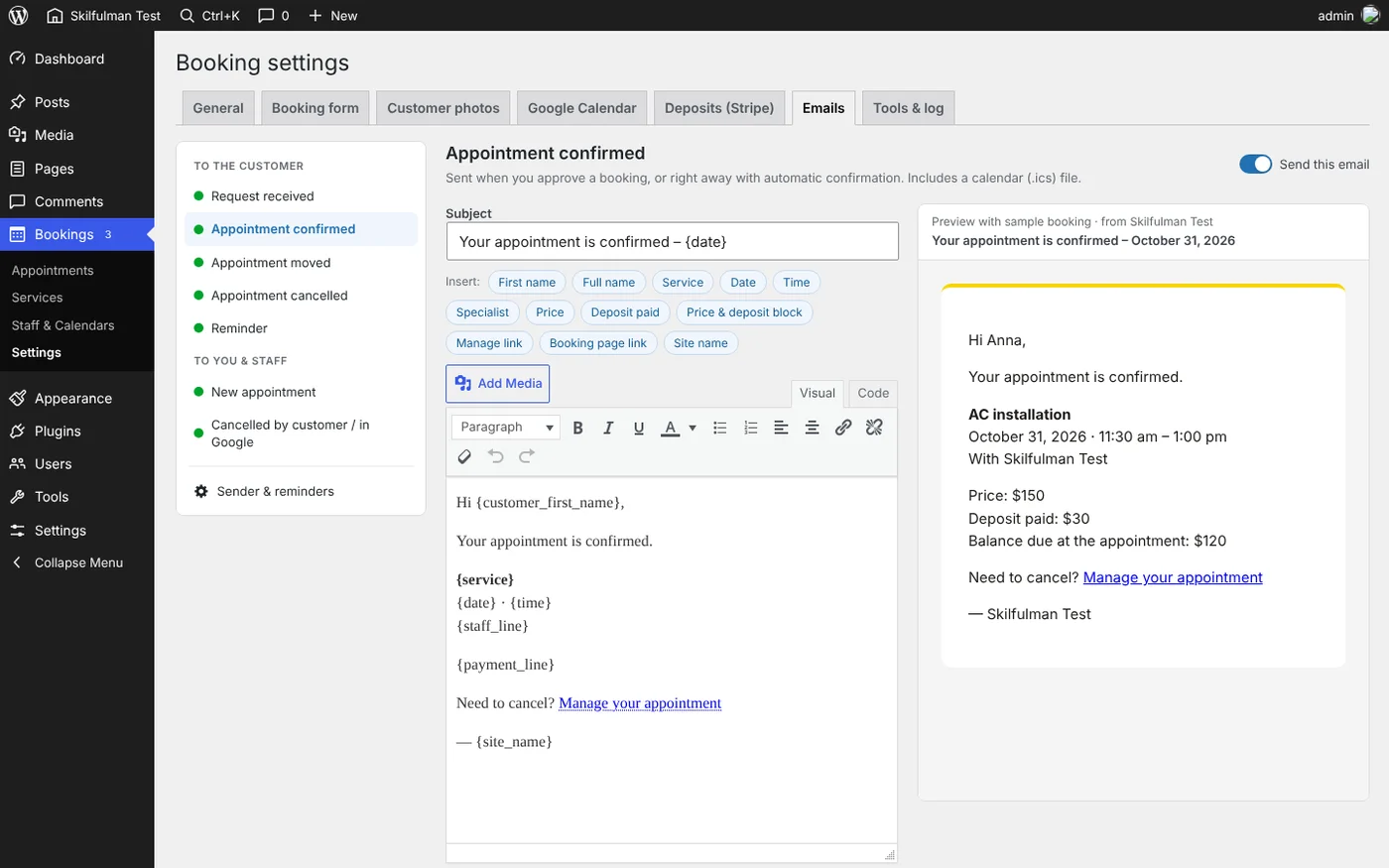
- Emails you can edit. Visual editor with a live preview for every message: request received, confirmed, moved, cancelled, reminder. Emails go out under your own name and address.
- Several staff members. Each with weekly hours, days off and a separate Google Calendar.
- Photos stay private. Customer photos are stored outside the media library and visible to admins only. Delete them by hand or let the plugin clean them up after a cancellation or a visit.
Requirements
- WordPress 6.0 or newer, PHP 7.4 or newer.
- HTTPS for instant updates from Google. Without it, changes are checked every 5 minutes.
- A free Google Cloud project with the Google Calendar API turned on. The setup screen walks you through it.
- A Stripe account only if you take deposits.
What it does not do
- It syncs with Google Calendar only, not Outlook or Apple Calendar.
- One customer per appointment. It is not built for group classes with seats.
- No SMS. Reminders go out by email.
- When several services are booked together, the visit lasts as long as the longest one; durations do not add up.
What you buy
Pay once, use forever. You get LTT Booked 1.8.1, the current version, to use on your own sites. New versions are released as separate purchases.
Full setup guide, settings and answers to common questions: LTT Booked documentation.
Reviews
There are no reviews yet.